


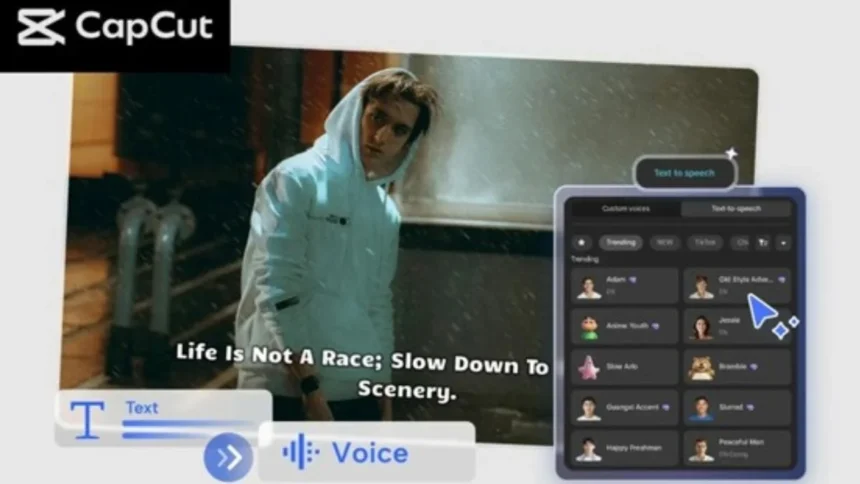
Producing social media content needs to be fast, straightforward, and regular. As a marketer, as an influencer, as an educator, as a small business owner, the difference between remaining relevant and becoming irrelevant is making videos fast. CapCut PC is of great value here. Its voice apps with AI can assist in making the narration process easier and save time on recording and other tasks to ensure a smooth workflow. You can use scripts to create professional-quality videos within minutes with text to speech AI, natural voice styles, and intelligent editing tools, and no studio gear or voice artist is needed.
In this article, we will work through the process of accelerating your social media video editing in CapCut PC, as well as the features necessary, and a three-step workflow that is easy to follow to produce any content to date.
Table of Contents
Why AI Voice Tools Matter for Social Media Creators
Voice-overs make a significant contribution to attention-grabbing. Short-form content, such as TikTok videos, Instagram Reels, and short-form YouTube, is extremely dependent on clear narration, as audiences choose within a few seconds whether to continue viewing the content.
However, recording yourself may take time. There is a chance that you will need to be concerned with noise, retakes, an exhausted voice, or editing errors. CapCut PC removes such challenges by providing creators with quick access to the high-quality AI-generated narratives, which sound natural, smooth, and expressive.
Regardless of whether you make tutorials, product promotions, inspirational videos, or explanatory videos, CapCut allows you to create and accelerate production without sacrificing quality.
Key CapCut PC Features That Make Video Creation Faster
1. Fast and Natural Text-to-Speech Generation
Text-to-speech AI is one of the strongest possibilities of CapCut. The creators can turn scripts into natural voices in just a matter of seconds, pick the voice that matches various moods: energetic, friendly, professional, calm, or based on a character. This will save you hours of recording, editing, and taking, and will give our videos a clean and smooth sound.
2. Multi-Language Voice Support
In the case of creators whose target audiences are spread across the globe, CapCut has multi-language and accented voices. It enables you to reach a wider audience, localize your content, and connect with viewers in other parts of the world without the need to hire voice actors.
3. AI Avatar Integration for Character-Based Videos
In case you are preparing storytelling or educational content, you can combine your narration with an AI avatar to ensure that your videos become more interesting. CapCut turns your message into animated digital characters and enables creators to shine through the overcrowded social feeds.
4. Auto Captions for Better Engagement
Social media can not be done without subtitles because several viewers watch the videos without sound. The Auto Captions tool of CapCut to create precise subtitles in real-time can assist you in improving the accessibility and drawing in more watch time.
5. Audio Enhancements for Polished Results
CapLook also has in-built features to improve your AI voice, including filters to remove background noises, a balance between volume, and fade-in and fade-out filters. These improvements make your narration sound like a professional studio sound.
6. Ready-Made Templates and Motion Graphics
To create creators who want to make videos even faster, CapCut provides templates of promotion videos, intros, tutorials, chapter headings, text animation, and transitions. These shortcuts enable you to develop quality visuals without having to come up with the idea of developing the visuals.
Step-by-Step Guide: Speeding Up Social Media Video Creation with AI Voices
Step 1: Upload Your Footage
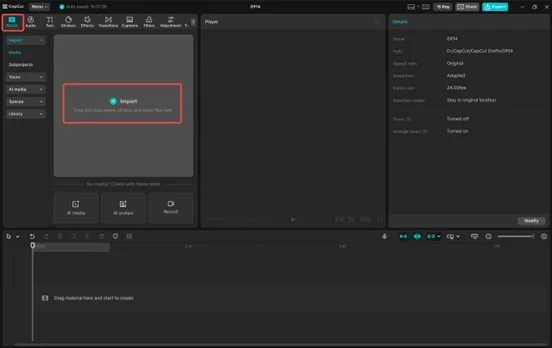
You can use Open CapCut PC and create a new project and add all your clips, images, or screen records to the canvas. Place them on the timeline for your video idea. This is a move that allows you to establish the visual order early enough, and therefore, how long your narration is supposed to be. The pacing can be altered through trimming or rearranging clips to flow in the way you want.
Step 2: Convert Your Script from Text to Speech
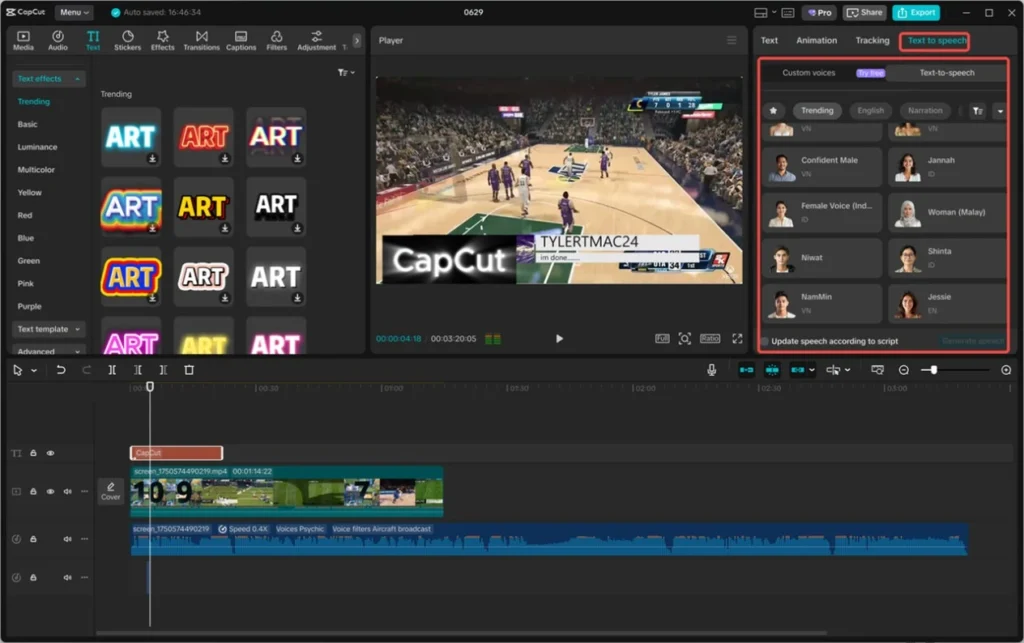
Click the Default Text, paste your written script, and select the option of Text-to-Speech option. Select the voice that allows you to use it in accordance with the tone of your social media content, i.e., the corresponding lifestyle video, trend on TikTok, or professional brand content. Once the voice is created, it is time to customize the voice by improving clarity, cutting out noise, and using the timing to match your edits. With CapCut, you can get an instant AI narration that would make your video sound polished, without necessarily having to record a narration.
Step 3: Export and Share Your Video
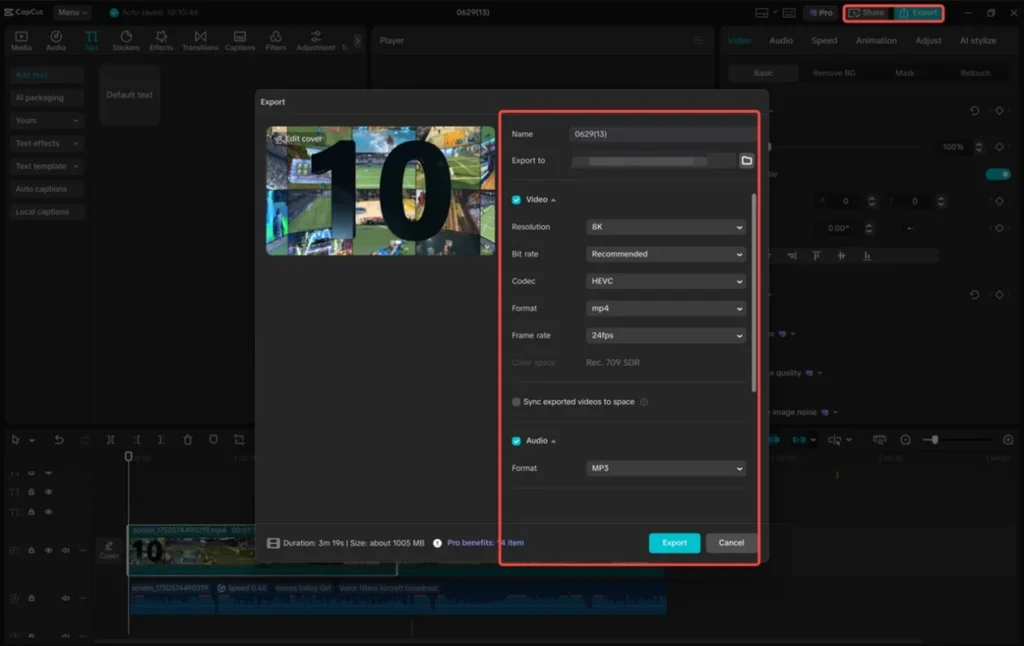
After matching the visuals and voiceover, touch on the Export button. Choose your resolution, format, and file name, and use this educational video on your device. Sharing is easy on CapCut, where you can directly post to such social networks as TikTok, Instagram, and YouTube to present your content instantly and maintain a regular posting schedule.
Tips to Make Your Social Media Videos Even Faster
Create reusable templates
You can save your common formats, such as intro style, caption layout, transition, etc, and then use them when you need a new video and everything is ready.
Write short, clear scripts
Short forms in a simple narration are best suited. Limit yourself to short sentences and superfluous information.
Batch your content
When doing several videos, record several scripts/voiceovers within a single session to save time.
Use dynamic visuals
Add motion graphics, stickers, transitions, and zoom effects to ensure that your audience remains entertained.
Match visual pacing with voiceover speed
Quick-paced videos are better on TikTok and Reels, but they should not be hard to follow.
Final Thoughts
The AI voice tools of CapCut PC provide creators with a tremendous advantage in saving time and narration of professional quality, as it can be made available to anyone. Globally, you can create tutorials, product videos, daily vlogs, and even content involving an AI avatar using CapCut because it has one of the quickest, most efficient, and creative workflows.
In case you want to become bigger on TikTok, Instagram, or YouTube, you can learn to use a text-to-speech AI within CapCut PC, which will allow you to create better content in a shorter amount of time – and the stylish look your followers highly appreciate.
Read Also: Best Image to Video AI Tools of 2025