


PlayBoard is a YouTube analytics and discovery platform that provides publicly accessible insights into YouTube channels, videos, rankings, subscriber counts, and estimated earnings. It has become particularly popular among creators, marketers, agencies, and curious viewers who want a broader view of YouTube performance beyond what YouTube itself publicly displays.
At its core, PlayBoard aggregates publicly available YouTube data and presents it in an easy-to-understand format. Users can search for channels, monitor subscriber growth, compare creators, and explore rankings across different categories and regions.
Why Creators Use PlayBoard
One of the biggest challenges on YouTube is understanding where a channel stands relative to others. PlayBoard helps answer questions such as:
- How does my subscriber growth compare to competitors?
- Which channels are growing fastest in my niche?
- What are the most viewed channels in a specific country?
- How many subscribers has a creator gained recently?
- What might a channel’s advertising revenue look like?
These insights can help creators identify opportunities, benchmark performance, and better understand audience behavior.
Key Features

Live Subscriber Tracking
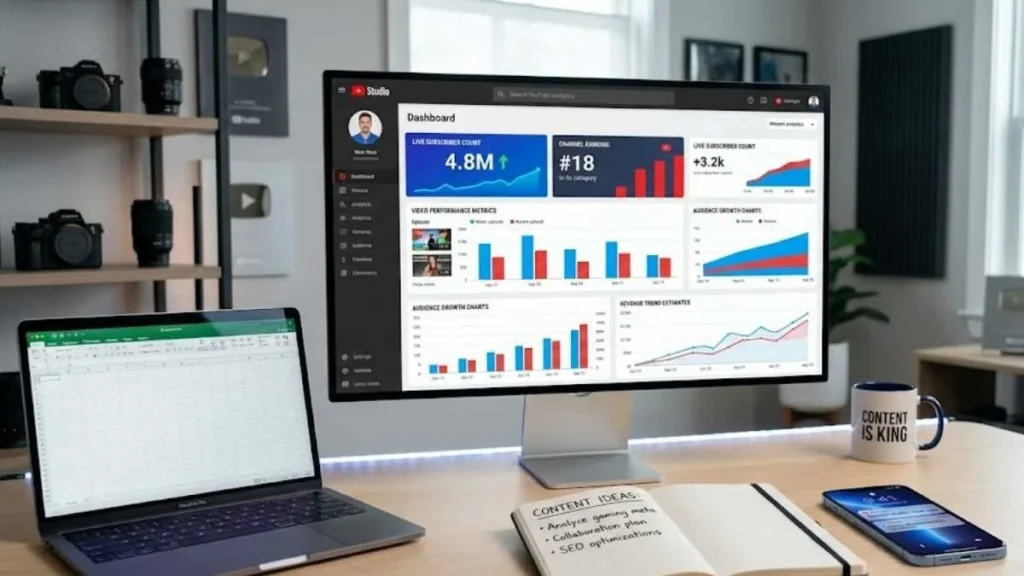
One of PlayBoard’s most recognized features is live subscriber monitoring. Users can view near real-time subscriber counts for many YouTube channels, making it easier to observe growth spikes during:
- Major uploads
- Viral moments
- Livestream events
- Collaborations
- Media appearances
This feature is especially interesting during milestone events when creators approach subscriber targets such as 100,000, 1 million, or 10 million subscribers.
YouTube Channel Rankings
PlayBoard organizes channels into ranking systems based on factors such as:
- Subscriber count
- Total views
- Growth rate
- Category performance
These rankings allow users to discover top-performing channels in areas like:
- Gaming
- Education
- Entertainment
- Technology
- Music
- Kids content
Instead of searching manually, users can quickly identify industry leaders and emerging creators.
Revenue Estimates
Many people visit PlayBoard to view estimated advertising earnings. It’s important to understand that these figures are estimates, not actual creator income. Since YouTube does not publicly disclose exact earnings, PlayBoard uses available data such as:
- Video views
- Historical performance
- Advertising benchmarks
- Engagement metrics
Actual revenue can differ dramatically depending on audience geography, niche, CPM rates, sponsorships, memberships, and other monetization sources.
Growth Analytics
PlayBoard also visualizes growth trends over time. Instead of looking at a single subscriber number, users can analyze:
- Daily subscriber gains
- Monthly growth patterns
- View increases
- Performance fluctuations
This historical perspective often reveals patterns that simple snapshots miss. For instance, a channel may appear successful today, but growth charts could reveal that momentum has slowed significantly over the past six months.
How Marketers and Agencies Use It
PlayBoard isn’t only for creators. Digital marketers frequently use it when evaluating potential influencer partnerships. Before contacting a creator, agencies can examine:
- Audience growth trends
- Historical performance
- Channel rankings
- Content consistency
- Competitive positioning
While it shouldn’t replace direct analytics provided by creators, it offers a valuable preliminary research tool. Brands can also use PlayBoard to identify rising creators before they become expensive partnership opportunities.
Benefits
Faster Competitor Research
Instead of manually reviewing dozens of channels, users can compare performance metrics in one place.
Trend Discovery
Rapidly growing channels often signal emerging content trends and audience interests.
Public Transparency
PlayBoard makes public YouTube data easier to interpret for creators, journalists, researchers, and businesses.
Performance Benchmarking
Creators can evaluate whether their growth rate is strong, average, or below industry expectations.
Limitations You Should Understand
Advertising income estimates should always be treated as approximations. PlayBoard primarily relies on publicly available information. Internal metrics such as watch time, retention, audience demographics, and conversion rates remain accessible only through YouTube Studio.
A channel with fewer subscribers may generate more revenue or influence than a larger channel because of stronger audience engagement. Focusing exclusively on rankings can lead to misleading conclusions.
Best Practices for Creators Using PlayBoard
- Use It for Benchmarking: Not Validation: Comparing channels can be useful, but obsessing over rankings often distracts from creating better content.
- Study Growth Patterns: Look beyond subscriber totals and analyze how channels achieved growth over time.
- Monitor Competitors Strategically: Identify successful content formats and audience trends without copying competitors directly.
- Combine Multiple Data Sources: Use PlayBoard alongside YouTube Studio, audience research tools, and direct viewer feedback for a more complete picture.
Frequently Asked Questions
Can creators see private analytics through PlayBoard?
No. Private metrics such as watch time, retention, audience demographics, and revenue details remain available only within YouTube Studio.
Is PlayBoard useful for small creators?
Yes. Smaller creators often use it to monitor competitors, discover trends, and understand growth benchmarks within their niche.
Does PlayBoard replace YouTube Studio?
No. PlayBoard is best viewed as a supplementary analytics platform, while YouTube Studio remains the authoritative source for official channel data.
Conclusion
PlayBoard has earned its popularity because it simplifies YouTube research. Whether you’re a creator studying competitors, a marketer evaluating influencers, or simply curious about channel growth, the platform offers a convenient way to explore rankings, subscriber trends, and performance data.
Its greatest value lies in context. Subscriber counts, rankings, and estimated earnings become far more meaningful when viewed alongside historical trends and competitor comparisons. Used thoughtfully, PlayBoard can help creators make more informed decisions, spot emerging opportunities, and gain a clearer understanding of the constantly evolving YouTube ecosystem.